Last Updated on 5 May, 2026 by Yieldova
Most personal finance apps promise control. What they actually give you is visibility. Those are not the same things.
The Problem With Most Finance Apps
The personal finance software industry generates billions of dollars in revenue selling a product that, for most of its users, doesn’t work. Not because the software is bad — much of it is genuinely well-built. But because the premise is wrong.
The premise is that if you can see where your money is going, you’ll change where it goes. This is the same logic behind calorie tracking apps: awareness creates behavior change. In both cases, the research tells a more complicated story. Visibility is necessary but not sufficient. You can categorize every expense perfectly, review your spending dashboard every Sunday, and still make the same decisions the following week. The data doesn’t change the behavior — the behavior has to change the behavior. The data just tells you whether it has.
That’s not an argument against using these tools. It’s an argument for being clear-eyed about what they actually do. The best personal finance software doesn’t fix your finances. It exposes them — with enough clarity and frequency that you can no longer pretend the problem doesn’t exist. For some people, that’s enough. For others, it isn’t. The software can’t tell the difference, and neither can you until you’ve used it long enough to find out.
What follows is an honest assessment of the tools that are actually worth your time — organized by what they’re designed to do, who they’re designed for, and where they typically break down.
↯ The core mistake
If you are not willing to review your finances consistently — weekly, not monthly — no software will help you. Every tool on this list works if you use it. None of them work if you don’t. The question to ask before choosing a tool is not “which one has the best features?” but “which one am I most likely to actually open on a regular basis?” Those are different questions, and the answer to the second one matters more.
How to Actually Compare These Tools
Most reviews of personal finance software compare feature lists — does it sync with your bank, does it have a mobile app, does it support investments, does it have bill tracking. That comparison is mostly useless because every serious tool in this category checks most of those boxes. The differences that actually affect outcomes are harder to quantify.
The comparison that matters is behavioral: how much does this tool require you to engage, and what happens when you don’t? A tool that forces active engagement produces better outcomes for people who engage — and fails completely for people who don’t. A tool that automates everything produces mediocre outcomes reliably, for almost everyone, with low dropout. Neither is objectively better. The right choice depends entirely on your habits, your willingness to build new ones, and how honest you’re prepared to be about which category you fall into.
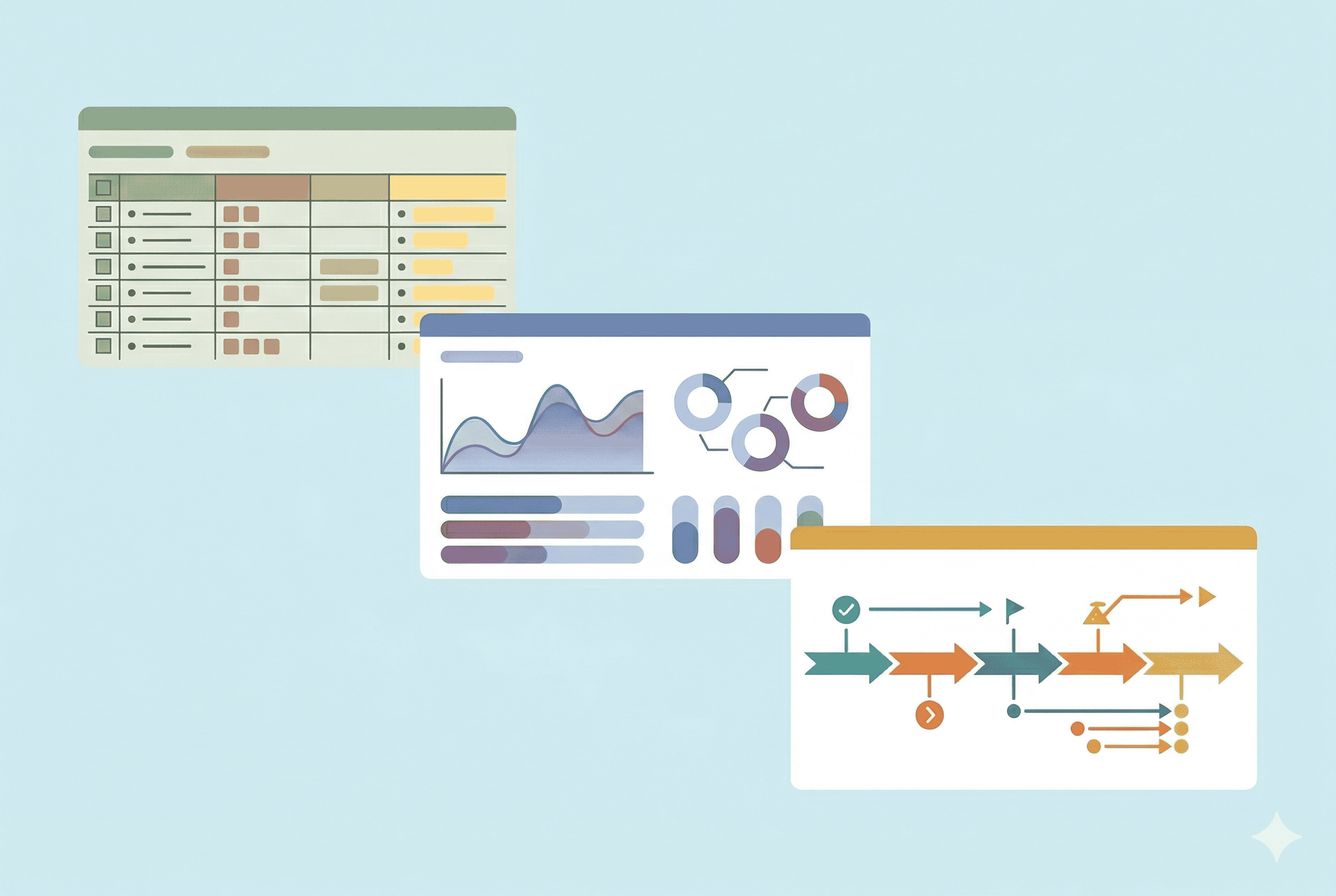
With that frame, personal finance software organizes into three categories: full control systems that require you to assign every dollar a purpose and reconcile actively; automated trackers that connect to your accounts, do the categorization work for you, and present the result; and forecasting tools that project your financial position forward based on your current patterns. Each category has a different job, serves a different user, and fails in a different way.
Full Control Systems
Full control systems are built on the idea that passive observation doesn’t produce change — that you have to be actively involved with your money for the involvement to mean anything. The friction is intentional. You are not supposed to open the app, see a dashboard, and close it. You are supposed to sit with the numbers, make decisions, and come back next week to see if reality matched the plan.
This is the most demanding category. It also produces the most meaningful results for people who stick with it. The dropout rate is high — most users quit within the first 60 days — but the users who get through that initial period and build the habit consistently report outcomes that passive trackers can’t replicate.
YNAB (You Need a Budget)
YNAB is the most methodologically distinct tool in this category, and the one with the most committed user base. Its approach is zero-based budgeting: every dollar you currently have — not every dollar you expect to earn, but every dollar sitting in your accounts right now — gets assigned a specific job before you spend it. Rent, groceries, irregular expenses like car insurance or dental work, savings goals. When everything is assigned, the available balance reaches zero. Not because you’ve spent it — because it all has a destination.
The methodology has four rules that are worth understanding before you decide whether YNAB is for you. The first is to give every dollar a job — the core zero-based principle. The second is to embrace your true expenses: breaking annual or irregular costs into monthly amounts and saving for them continuously, so that when the car registration bill arrives it doesn’t feel like an emergency. The third is to roll with the punches — when reality differs from the plan (which it always does), you adjust the budget rather than abandon it. The fourth is to age your money — the goal is to be spending dollars that are at least 30 days old, a proxy for financial stability and the end of living paycheck to paycheck.
The practical effect is that you stop reacting to your finances and start directing them. The awareness that comes from weekly engagement — knowing exactly how much is left in every category at all times — changes spending decisions in the moment, not retrospectively. Most YNAB users who stick with it report that the behavioral shift happens not because of any single insight but because the constant engagement makes it impossible to spend unconsciously.
YNAB syncs with bank accounts but doesn’t require that sync — you can enter transactions manually, which some users prefer because it forces even more active engagement. The app works on web, iOS, and Android, and the support resources — tutorials, live workshops, an active community forum — are substantially better than any other tool in this category.
The failure mode is predictable: the learning curve is real, the setup takes time, and the weekly engagement is non-negotiable. Users who quit usually do so in the first three weeks, before the habit forms and before they’ve seen any meaningful outcome. Whether the investment of time is worth it depends entirely on how much your current financial situation needs to change.
ℹ Who it’s for
YNAB works best for people who are actively trying to change their spending behavior — eliminating debt, building an emergency fund, stopping the cycle of running out of money before the end of the month. It is not the right tool for someone who wants passive, low-effort tracking, or for someone whose finances are already well-organized and just needs a dashboard. The friction is a feature, not a bug — but only if you need what the friction produces.
Best for behavioral change
YNAB is the most effective tool for changing how you spend money
Zero-based methodology with a 34-day free trial. Read our full review for the honest take on whether the friction is right for your situation, or try it directly.
Tiller Money
Tiller takes the same philosophy of active engagement and applies it to a different medium. Instead of a dedicated app, Tiller feeds your financial data — synced automatically from your accounts — into a Google Sheets or Microsoft Excel spreadsheet that you manage yourself. The result is a fully customizable personal finance system built on infrastructure that most people already know how to use.
The appeal is control in the deepest sense: you define the categories, you build the formulas, you design the reports. Tiller provides the data pipeline, a library of templates, and the account sync. Everything else is yours to construct. If you want a budget that tracks a crypto portfolio alongside household expenses and sorts income by client, you can build that. No app in this category can match that level of flexibility because no app is designed to be modified at the structural level.
The obvious tradeoff is that you’re building and maintaining a system, not just using one. Users who thrive with Tiller are people who are genuinely comfortable in spreadsheets, who find the customization satisfying rather than burdensome, and who are willing to invest the setup time upfront in exchange for a system that exactly fits how their money actually moves. Users with straightforward finances who just want something that works out of the box will find YNAB faster to get running and easier to maintain.
ℹ Who it’s for
Tiller is the right tool for people who want zero-based budgeting control but prefer a spreadsheet environment — and who have the discipline to build and maintain their own system. It’s particularly well-suited to users with variable or irregular income: freelancers, traders, consultants, business owners. For these users, the flexibility to model income variability and build custom cash flow structures is more valuable than the polished experience of a dedicated app.
Best for spreadsheet-fluent users
If you live in spreadsheets, Tiller is the only tool that matches your workflow
Automated bank sync into Google Sheets or Excel that you fully control. 30-day free trial. Read our full review for the honest take, or try it directly.
Automated Trackers
Automated trackers remove the primary friction of personal finance software: you don’t have to enter anything. Connect your bank accounts, credit cards, and investment accounts, and the tool categorizes your transactions, calculates your net worth, and shows you where your money went. Setup takes 15 minutes. Ongoing engagement is optional.
That last sentence is also the failure mode. When engagement is optional, most users make it rare. They check the app when something feels wrong — a month they overspent, a bill that seemed high — rather than as a regular practice. Used this way, automated trackers are financial rear-view mirrors: accurate, but only telling you what already happened, reviewed infrequently enough that the information doesn’t change anything. The category works for users who bring their own discipline to the review process. For users who are hoping the software provides that discipline, it doesn’t.
Monarch Money
Monarch is the best-designed automated tracker currently available, and has become the de facto Mint replacement for a large portion of the users displaced when Intuit shut Mint down in 2024. It syncs with bank accounts, credit cards, loans, and investment accounts, auto-categorizes transactions with reasonable accuracy, tracks net worth over time, and generates visualizations of spending patterns that are genuinely clear rather than just technically present.
What distinguishes Monarch from most competitors is the quality of execution rather than any single feature. The interface is fast, well-organized, and doesn’t feel like it was designed by engineers who don’t use it. Categorization accuracy is better than most alternatives and improves over time as you correct errors. For couples managing finances together, the shared access model is more thoughtfully implemented than anything else in the category — both partners see the same data, transactions can be split, and there’s no clunky workaround required. The development cadence has been active since the Mint migration and the product doesn’t feel abandoned, which is a real concern in a category where several well-regarded tools have been acquired and subsequently neglected.
ℹ Who it’s for
Monarch is the right automated tracker for users who want a polished, well-maintained product and are willing to pay for it. It’s particularly strong for couples managing shared finances, and for anyone migrating from Mint who wants a direct replacement rather than a category upgrade. It won’t change your behavior on its own — but if you commit to a weekly review habit, it gives you everything you need to make informed decisions without the friction of manual entry.
Best automated tracker for couples
Monarch is the strongest Mint replacement and the best couples tool in the category
Polished design, thoughtful shared-access model, active development. 7-day free trial. Read our full review for the honest take, or try it directly.
Empower (formerly Personal Capital)
Empower occupies a unique position in this category because it’s the only tool that treats investment management as a first-class feature rather than an afterthought. On the spending side, it does what automated trackers do: syncs accounts, categorizes transactions, tracks net worth. On the investment side, it provides tools that go substantially beyond what any other free product offers — portfolio analysis broken down by asset class and geographic allocation, a fee analyzer that calculates what you’re paying in fund expense ratios annually, an investment checkup that compares your allocation against a suggested model, and a retirement planner that models projected outcomes based on your current savings rate, expected return, and timeline.
The entire tracking and investment analysis layer is free. Empower monetizes through its wealth management advisory service — a paid product that provides access to human advisors. The free tools are not a degraded version designed to frustrate you into the paid service — they’re genuinely complete. The retirement planner in particular is more sophisticated than most tools people pay for separately. The tradeoff is that Empower will contact you about its advisory service. You can decline, and the free tools remain fully functional.
For users who have both spending accounts and investment accounts, the consolidated view Empower provides is legitimately valuable. Seeing net worth update across a checking account, a brokerage account, and a retirement account — with portfolio performance and allocation data alongside spending trends — is a different level of financial visibility than any spending-only tracker offers.
ℹ Who it’s for
Empower is the most useful free tool for anyone who has investment accounts and wants unified visibility across spending and portfolio performance. If you’re a trader or investor who already tracks your positions closely but wants spending data in the same place, Empower is the natural fit. The retirement planner alone — free, reasonably sophisticated, and built into the product — justifies using it alongside whatever other tools you already use.
Best free tool for investors
Empower is the only tool that takes investment analysis seriously — and it’s free
Asset allocation analyzer, fee drag calculator, Monte Carlo retirement planner. The trade-off is sales contact for high-asset users. Read our full review for the honest take, or try it directly.
Simplifi by Quicken
Simplifi is Quicken’s answer to its own obsolescence. Classic Quicken — the desktop software that dominated personal finance for two decades — aged poorly into the subscription era, and Simplifi is the company’s attempt to build something modern rather than renovate the legacy product. It syncs accounts, tracks spending, and organizes expenses against what it calls “spending plans” — a deliberately softer version of a budget that focuses on guardrails rather than zero-based assignment.
The spending plan concept is what distinguishes Simplifi from pure trackers. Instead of a traditional budget where every category has a fixed monthly limit, a spending plan defines a total amount you want to spend across discretionary categories and tracks you against it in aggregate. The framing is less prescriptive — you’re not told that you can spend exactly $200 on restaurants, you’re told whether you’re on track or off track against a broader discretionary target. For users who found YNAB’s granularity paralyzing, this lighter structure provides some accountability without the full cognitive overhead. Simplifi also has a subscription tracker that monitors recurring charges and flags new ones — useful in an environment where subscription creep is a real problem — and a projected cash flow view that shows upcoming bills against available balance.
ℹ Who it’s for
Simplifi works best for users who want more structure than a pure tracker but found YNAB’s approach too demanding. The spending plan model is a reasonable middle ground — enough accountability to be useful, not so prescriptive that it becomes a burden to maintain. It’s also a sensible choice for long-time Quicken desktop users who want to move to a modern product without switching ecosystems entirely.
Best middle-ground option
Simplifi sits between YNAB’s intensity and pure tracking — for users who genuinely want that
Spending plan model with the cheapest premium pricing in the category. 30-day money-back guarantee. Read our full review for the honest take, or try it directly.
Copilot Money
Copilot is an iOS-only personal finance app that has built a loyal following primarily on the strength of its design. In a category where most apps look like they were built by finance people rather than product people, Copilot’s interface is genuinely good — fast, clean, and thoughtfully organized. It uses machine learning to categorize transactions and improve over time as you correct errors, tracks spending and net worth, and delivers the core automated tracking experience with minimal friction.
The machine learning categorization is more accurate than most competitors out of the box, and the correction workflow is fast — when Copilot miscategorizes something, fixing it takes seconds and the system remembers. The app handles transaction splitting well, which matters for expenses that span multiple categories.
The platform constraint is real and worth being direct about: there is no web version and no Android app. If you manage your finances on a laptop, or if anyone in your household uses Android, Copilot doesn’t work. For users who are entirely within the Apple ecosystem and for whom interface quality genuinely affects whether they open an app consistently, it’s one of the stronger options in the automated tracker category. For everyone else, the constraint eliminates it from consideration regardless of its other merits.
ℹ Who it’s for
Copilot is for solo iPhone users — and Apple-ecosystem couples — who genuinely value design as a behavioral lever, where opening a beautifully-built app is the difference between weekly engagement and abandoned subscriptions. It’s not the right tool if anyone in your financial life uses Android, if you primarily manage finances from a Windows PC, or if you need the depth of investment analysis that Empower provides.
Best design for Apple users
Copilot is the most polished personal finance app available — if you’re on iOS and Mac
Apple Design Award finalist with the most accurate AI categorization in the category. iOS and macOS only — confirm device fit before signing up. Read our full review for the honest take, or try it directly.
Forecasting Tools
Forecasting tools ask a different question than the other two categories. Trackers answer the question of what happened to your money and what is happening now. Forecasting tools try to answer what will happen: where will your financial position be in three months, six months, five years, if current patterns continue? What changes if you increase your savings rate by $300 per month? What does cash flow look like if you take on a mortgage in Q3?
This is a more sophisticated use case than most people are ready for. The projections are only as accurate as the inputs, and accurate inputs require having a clean, consistent picture of your current finances already. Users who don’t have that foundation produce forecasts that are interesting-looking but not reliable. For users who do have it, a good forecasting tool changes how they think about financial decisions — from reactive to genuinely forward-looking.
PocketSmith
PocketSmith is the most capable forecasting tool available to retail users, and one of the few personal finance apps with serious international bank connectivity — relevant for users outside the US who find that most competitors have limited or unreliable sync for non-US institutions.
The core of PocketSmith’s value is its cash flow calendar and projection engine. Based on your recurring transactions, income patterns, and manually defined future events, it projects your account balances forward — day by day if you want — up to 30 years out. The projection updates automatically as new transactions come in. You can run scenarios directly in the interface: model what happens if you add a $500/month savings transfer, or if a specific expense category increases by 20%, or if you stop a recurring payment. The long-term dollar impact of each scenario appears immediately, across whatever time horizon you set.
The interface is functional but prioritizes depth over design — a reflection of its user base. People who use PocketSmith are not looking for a beautiful dashboard; they’re looking for accurate projections.
ℹ Who it’s for
PocketSmith is most useful for users who already have a solid handle on their current finances and want to model the future — planning a major purchase, evaluating the impact of a career change, stress-testing a retirement timeline, or managing irregular income across months with very different cash flow profiles. It’s also one of the few serious options for users outside the US, Australia, and the UK who find that most competitors simply don’t support their banks.
Best for forecasting and international users
PocketSmith is the only serious option for users outside the US — and the best forecasting tool in retail finance
Daily cash flow projections up to 30 years out. Multi-currency support, open banking across UK/EU/Australia/NZ. Free trial. Read our full review for the honest take, or try it directly.
Comparison
| Tool | Category | Effort | Best for | Read more |
|---|---|---|---|---|
| YNAB | Full control | High | Changing spending behavior | Review |
| Tiller | Full control | High | Spreadsheet-based custom systems | Review |
| Monarch | Automated | Low | Couples, clean UX, Mint replacement | Review |
| Empower | Automated | Low | Investment + spending in one place | Review |
| Simplifi | Automated | Low–Medium | Light budgeting without full commitment | Review |
| Copilot | Automated | Low | iPhone users who prioritize design | Review |
| PocketSmith | Forecasting | Medium | Long-term cash flow planning | Review |
The Switching Trap
One pattern that runs through this category and is worth naming explicitly: the habit of switching tools when a system stops working. It’s a common response and an understandable one — if the current tool isn’t producing results, a different tool might. Sometimes that’s true. More often, it isn’t.
Switching apps feels like progress. You research the alternatives, you read the reviews, you migrate your data, you set up the new system. That process takes energy and time, and it produces the feeling of having done something productive about your finances. But if the reason the previous tool stopped working was a habit problem rather than a tool problem, the new tool will develop the same failure at the same point — usually around the six-week mark when the novelty wears off and the maintenance starts to feel like a burden.
The diagnostic question before switching is whether you were using the previous tool consistently. If you were engaging with it every week and it wasn’t giving you what you needed — wrong category structure, missing features, poor bank connectivity — switching is the right call. If you weren’t using it consistently, you already know what the problem is, and a different tool won’t fix it.
↯ Before you switch
If you’ve tried three tools and none worked, the issue is not the tools. The best personal finance system is the one you actually use, consistently, for long enough that the habit becomes automatic. That takes 60–90 days at minimum. Most people don’t give any single tool that long before concluding it doesn’t work — and then move to the next one.
What You Should Actually Use
It comes down to one honest question: how much are you realistically willing to engage with this, week after week, for the next six months?
- Want to genuinely change your spending behavior → YNAB
- Want full control in a spreadsheet → Tiller
- Want the best automated tracker, or managing as a couple → Monarch
- Have investment accounts and want a free unified view → Empower
- Want light structure without the full YNAB commitment → Simplifi
- On iPhone and design affects whether you open an app → Copilot
- Want to model future scenarios, not just track the present → PocketSmith
And if you won’t use it weekly — don’t buy anything. A spreadsheet you check once a month beats any app you open twice.
Conclusion
Personal finance software doesn’t fix your finances. It exposes them — with enough clarity and regularity that you can no longer maintain a comfortable fog about where the money actually goes. For people who are ready to look at that information and act on it, these tools work well. For people who aren’t, they become a subscription that generates mild guilt every month.
The category you choose matters less than the habit you build around whichever tool you pick. The discipline of engagement is not something any software can provide. It’s the one variable the tool can’t control.
Pick the tool that matches the engagement level you’ll sustain. Give it 90 days before you evaluate whether it’s working. And be honest — when it stops working — about whether the problem is the tool or the habit.
The tool is not the system. You are.

Articles published under the Yieldova byline combine market data, primary sources, and hands-on trading experience. Every piece goes through the same standard: if we wouldn’t stake money on it, we don’t publish it.